Bowlero
Redesigning the lane booking experience for the world's largest bowling chain — streamlining a 10-step corporate flow into a seamless, mobile-first reservation for casual groups.
The Brief
Bowlero operates the world's largest ten-pin bowling center chain. Following an initial 2019 redesign, they came back with a focused challenge: create an improved mobile-first experience for customers to easily and quickly reserve lanes for open play. The existing booking process involved ten steps originally designed for large corporate events — not casual groups of friends.
Initial Research
The existing flow required five steps with a single input per page, offering limited visibility into how choices affected availability. We documented the original process and its backend interactions before proposing anything new.
User research involved card sorting with office staff and Bowlero customers at the Times Square location. We asked users to sort five booking inputs: Lanes, Guest Count, Time, Duration, and Date.
Results showed most users preferred selecting date and time first, followed by duration, guests, and then lanes. Observing users also revealed a key behavior: people frequently switched between dates and times while coordinating plans with friends — a critical insight that shaped the whole design direction.
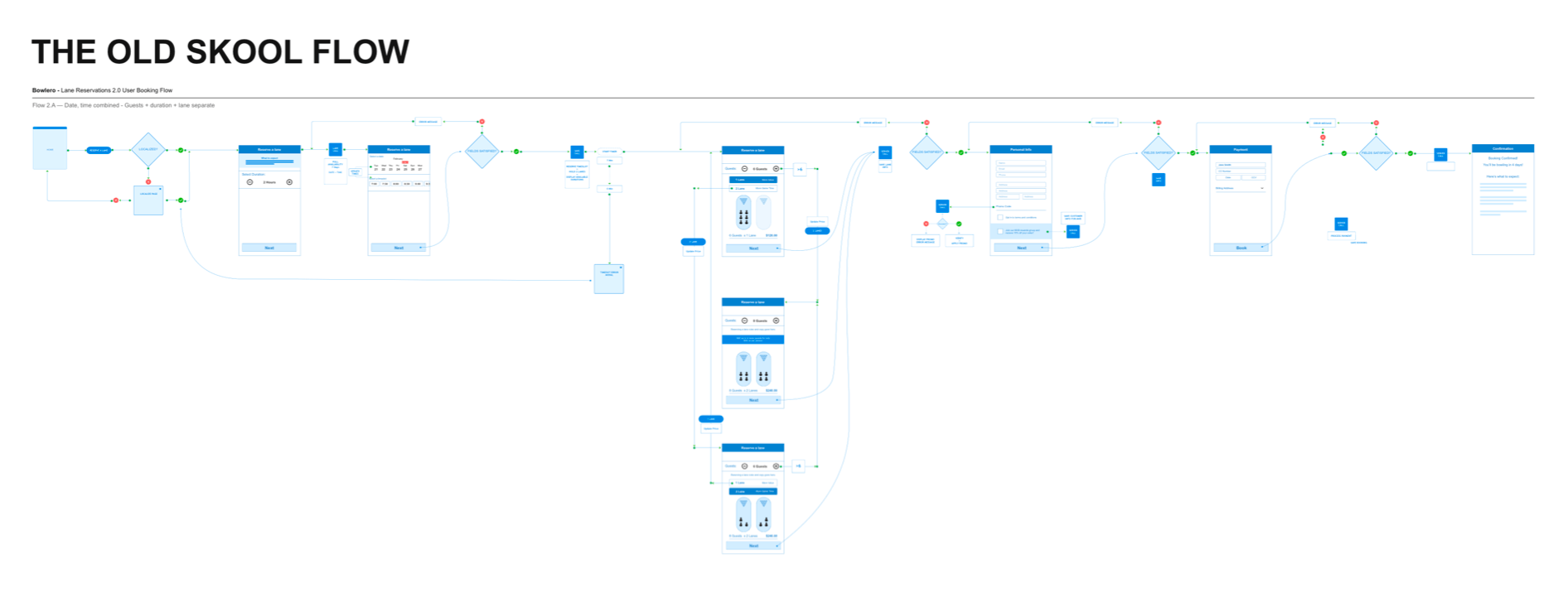
The original 'Old Skool' booking flow diagram.
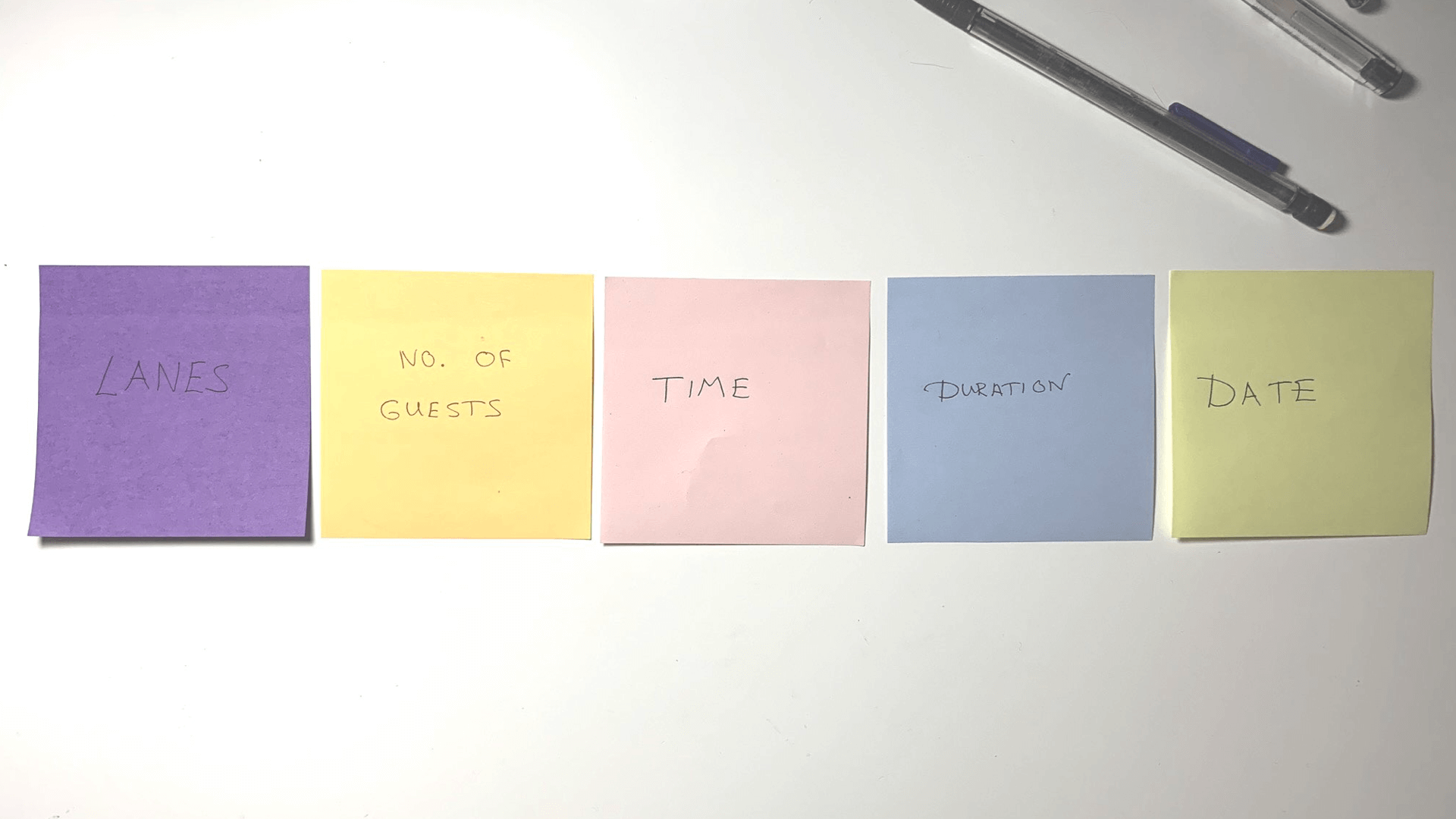
Card sorting results from user research sessions.
Sketching & Ideation
Early exploration focused on combining inputs across fewer pages to reduce friction. The team sketched whiteboard concepts and formalized them into flow diagrams, considering both traditional step-by-step and more progressive single-page approaches.
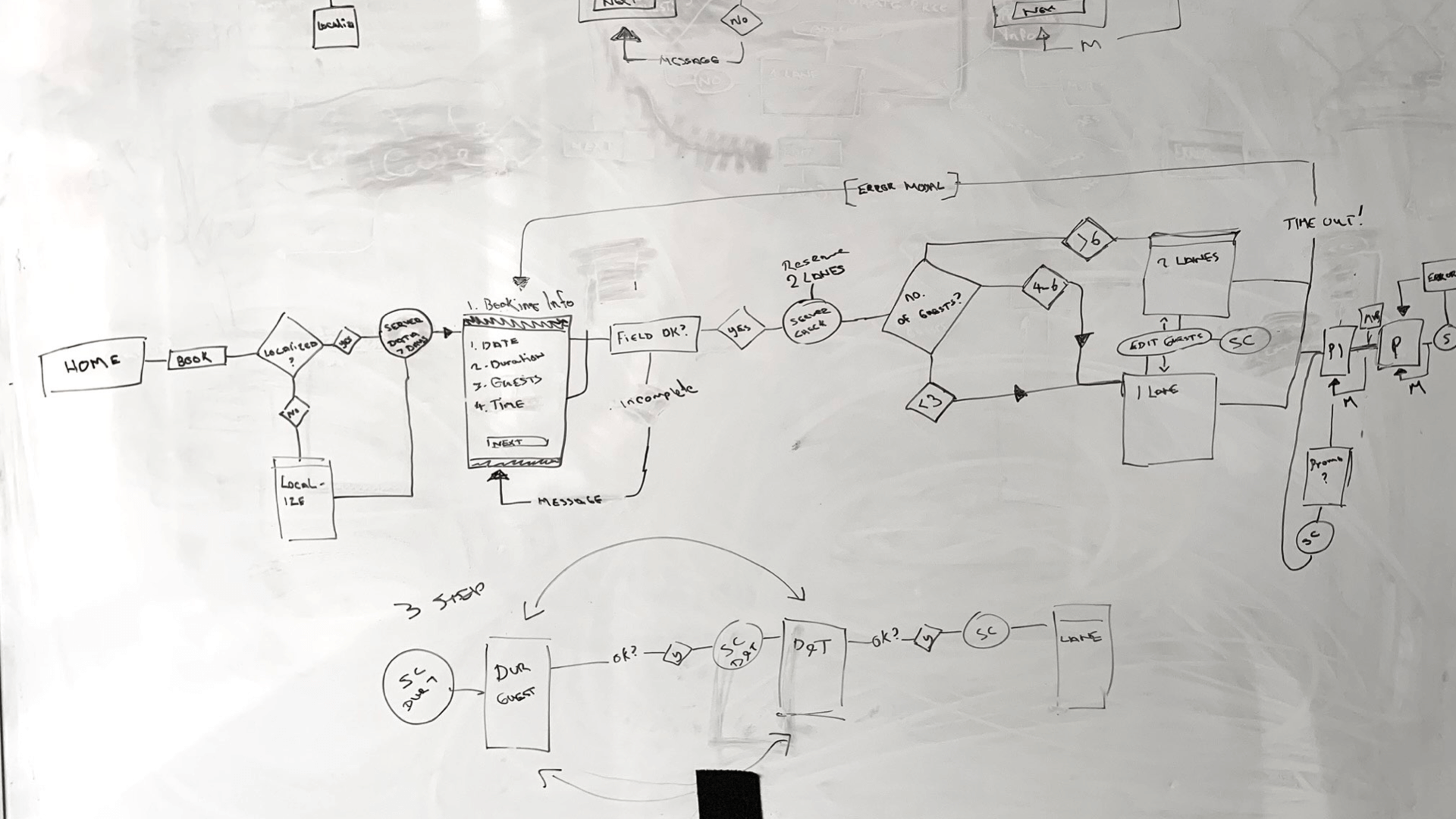
Early whiteboard sketching sessions.
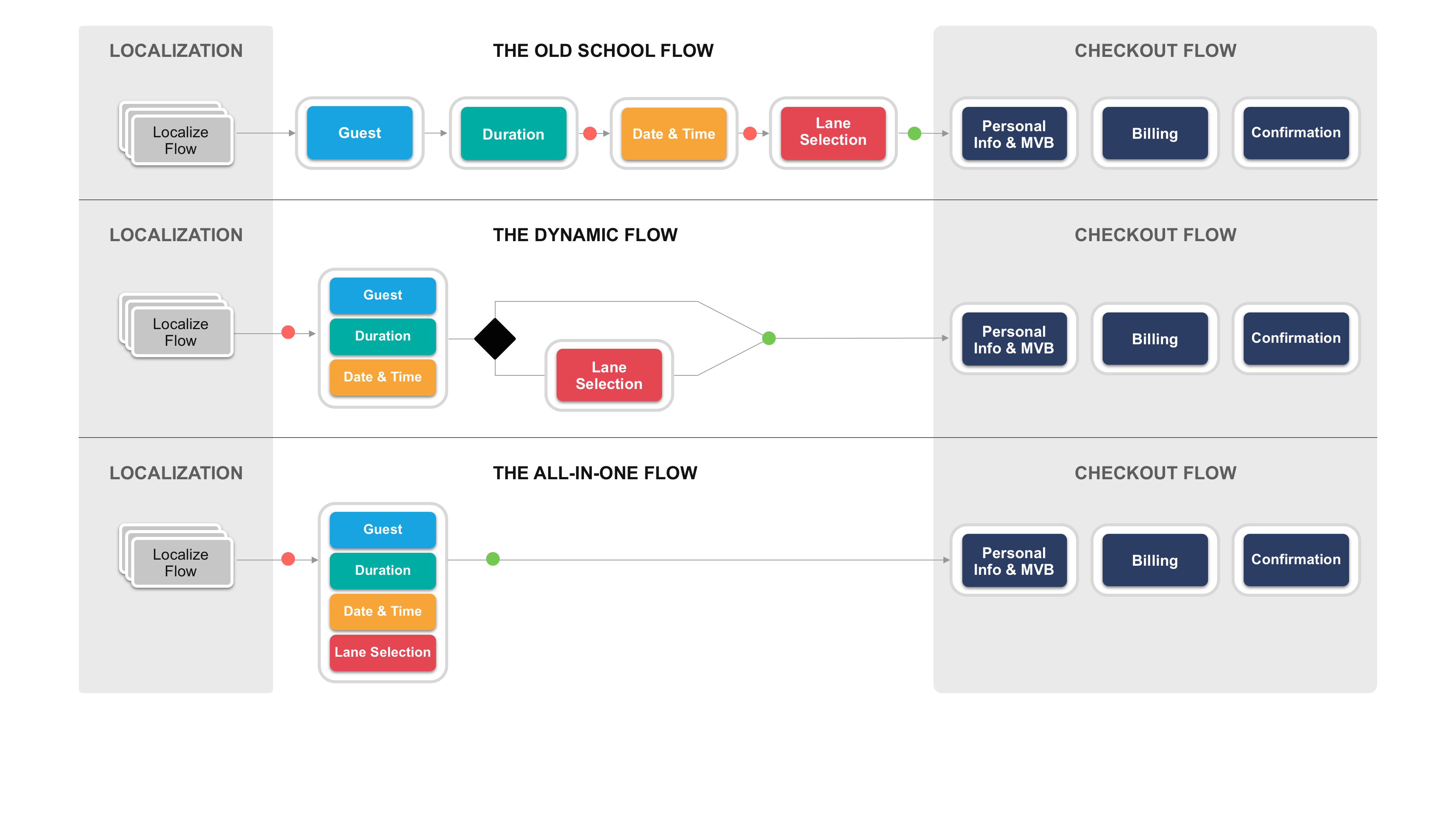
Three flow concepts explored before aligning on a direction.
The All-In-One Flow
A single-page concept emerged as the strongest direction — allowing users comprehensive visibility and dynamic selection without navigating between screens. After presenting multiple flows to the Bowlero and development teams, the all-in-one approach was selected as technically feasible with their existing backend infrastructure.
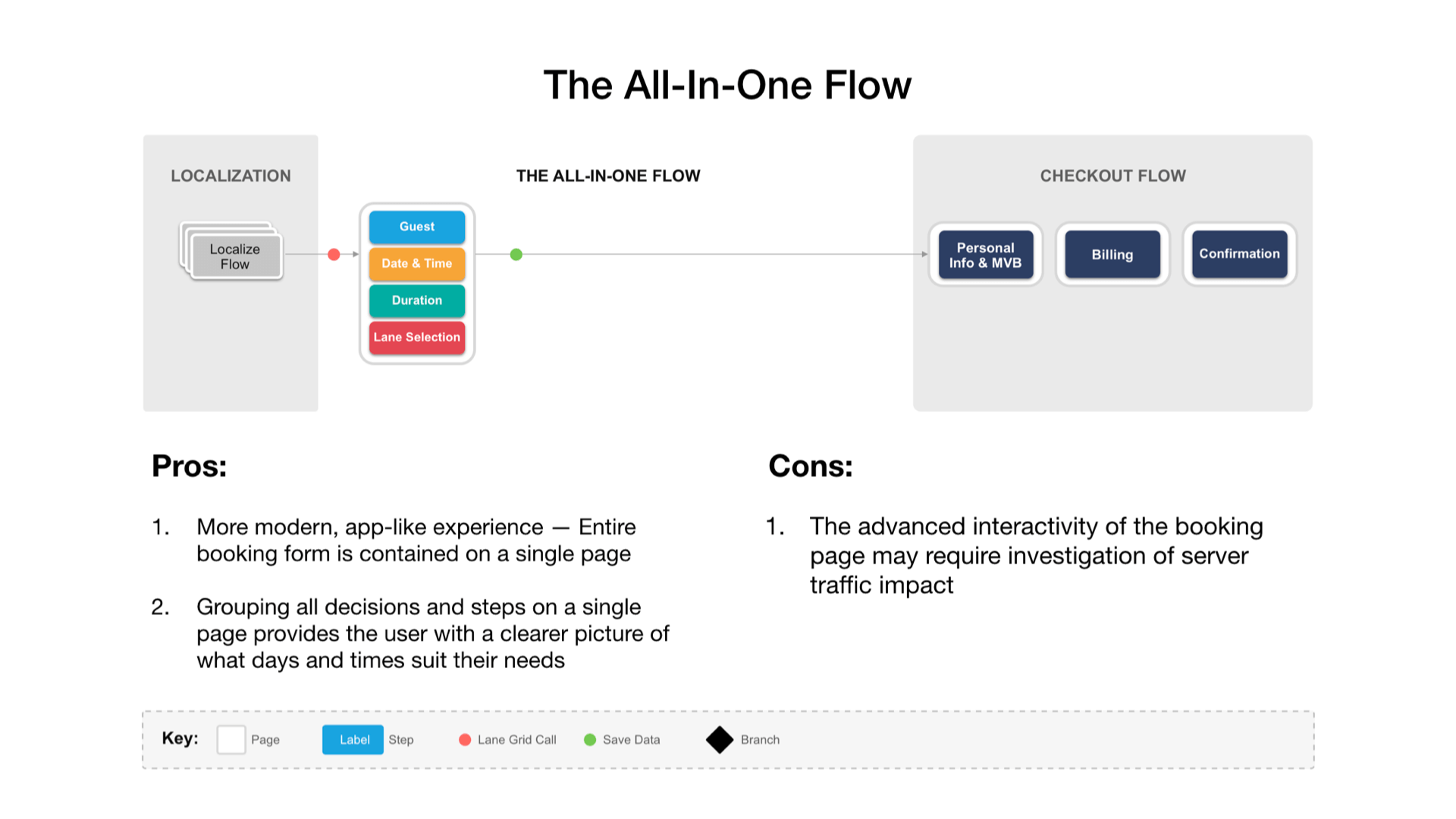
The all-in-one booking flow diagram.
Wireframing
Early designs explored swipeable carousels for date and time visualization. User conversations revealed confusion around lane selection, prompting its removal — the system would automatically assign lanes based on group size instead.
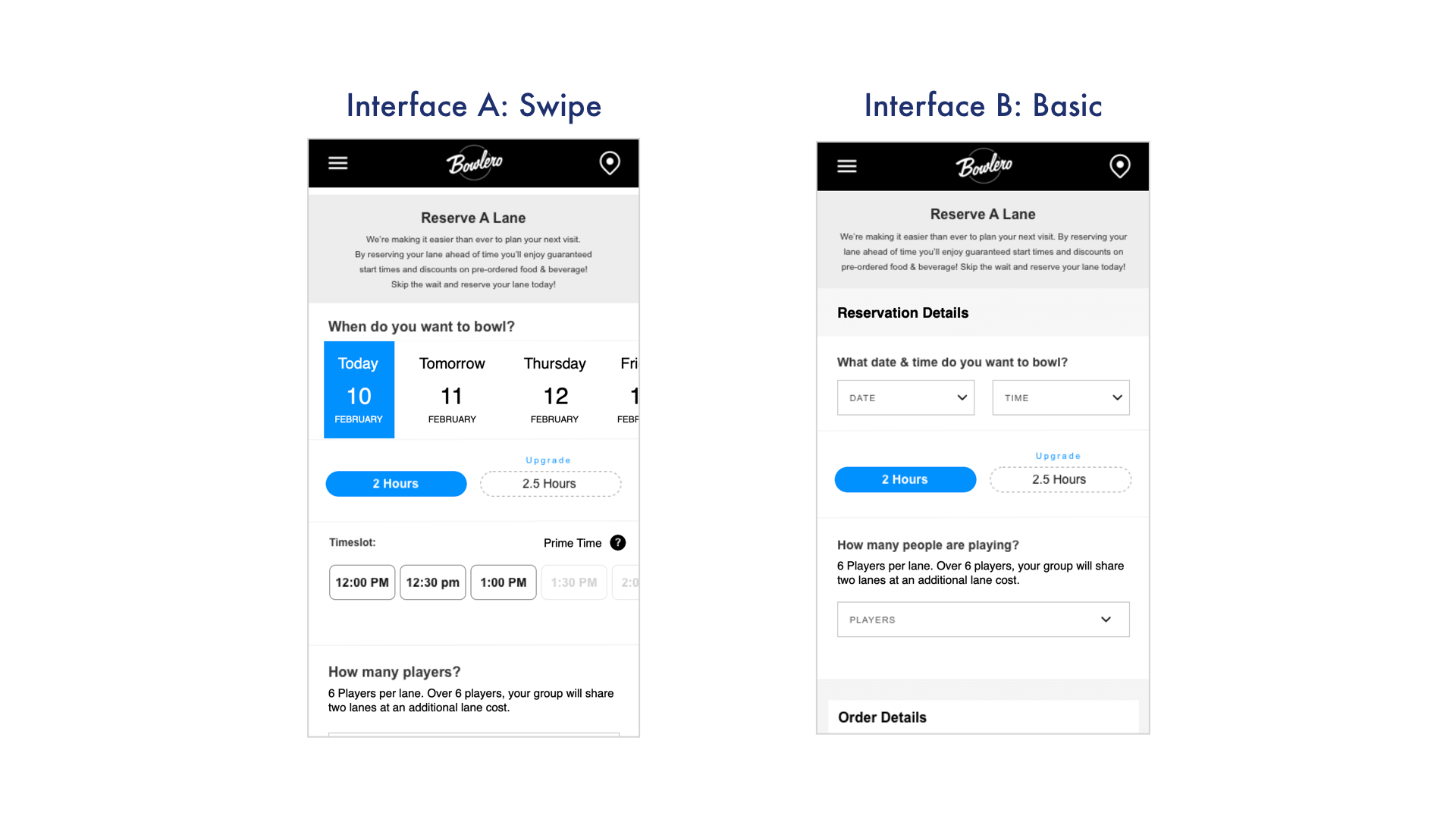
Two wireframe approaches were developed and iterated: dynamic, app-like interactions with visual carousels versus basic dropdown inputs with native mobile pickers. Both underwent multiple rounds of iteration before being put to a user test.
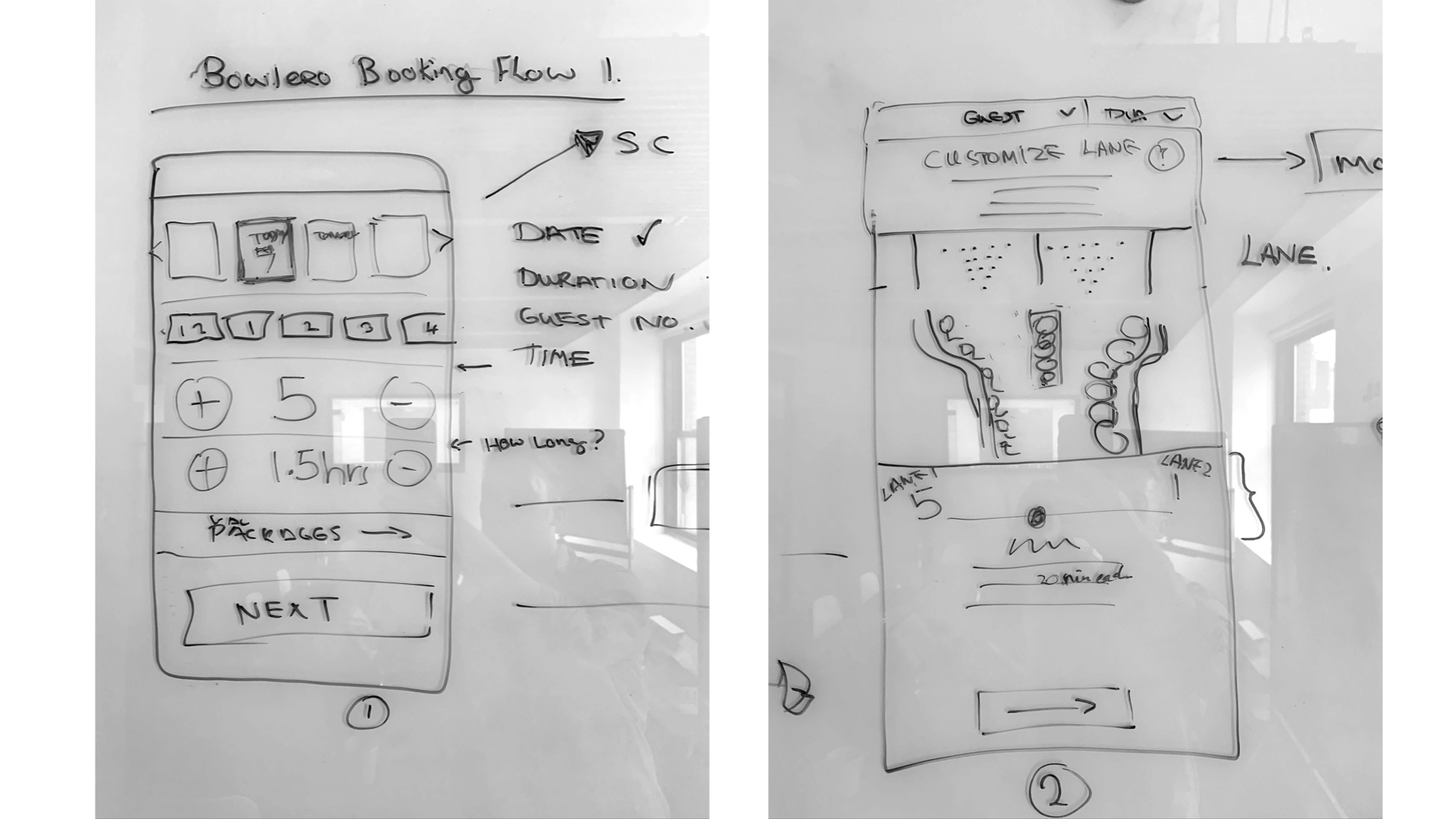
UI sketches exploring the all-in-one layout.
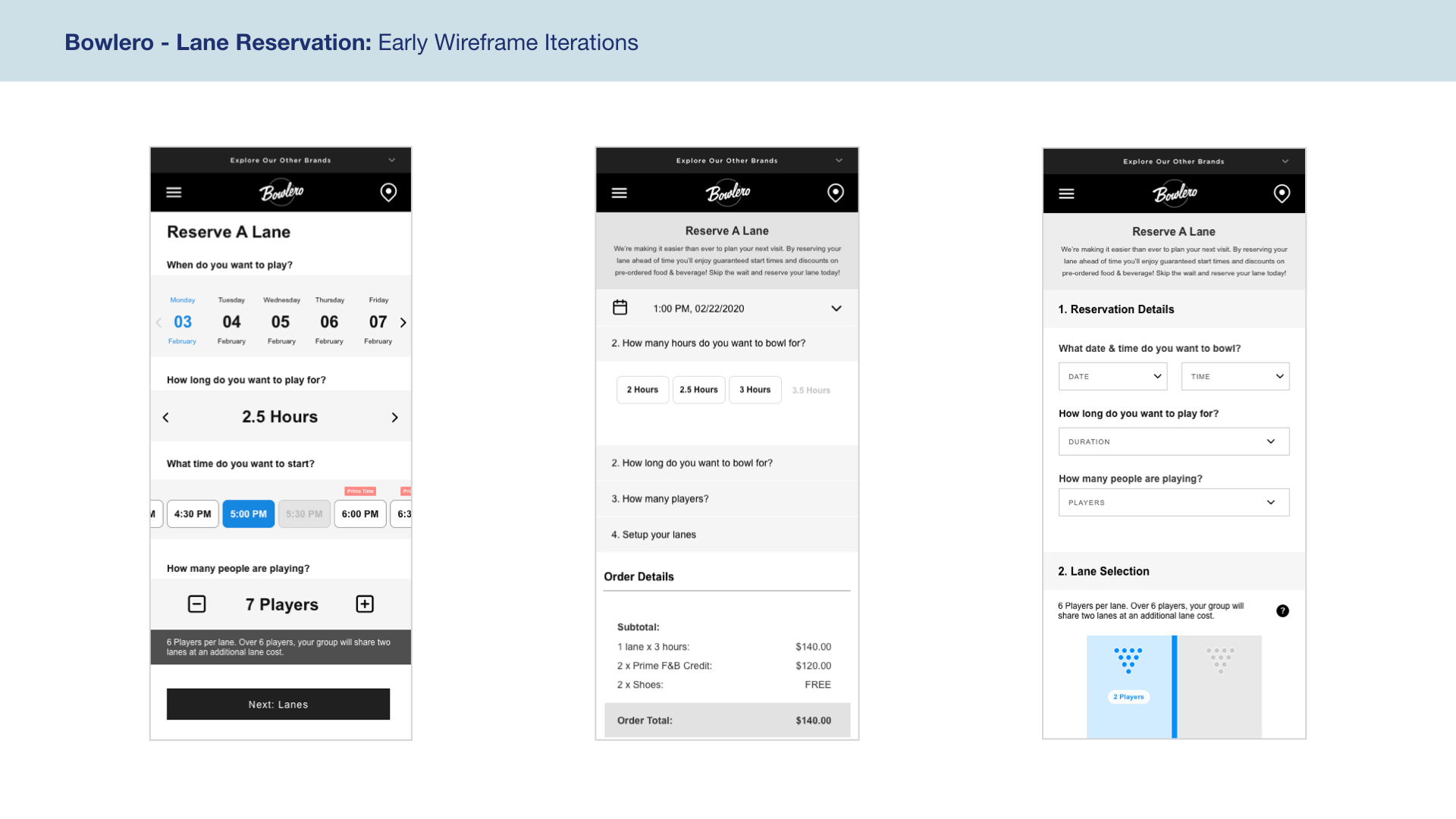
Early wireframe iterations.
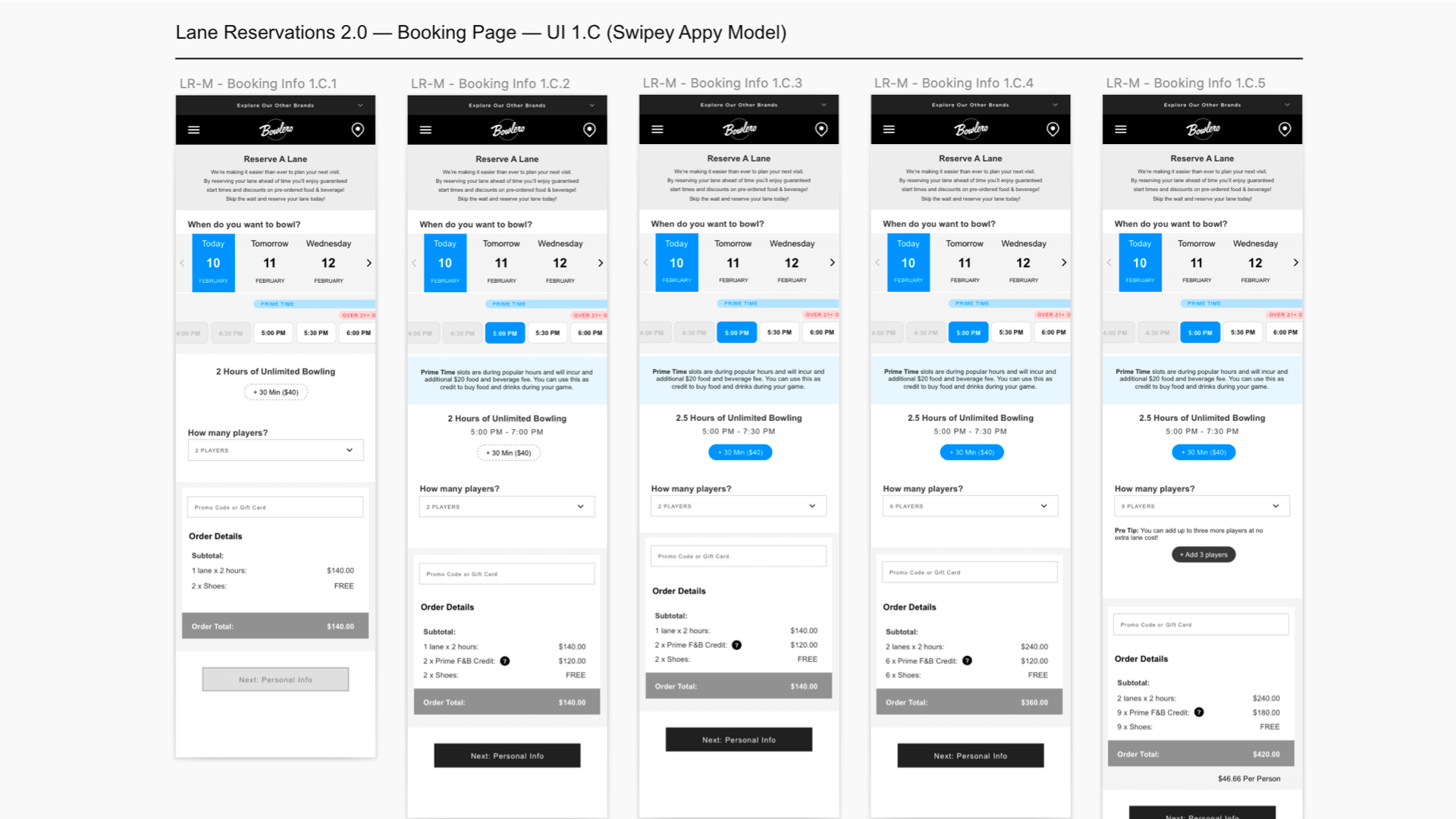
Dynamic carousel-based wireframes.
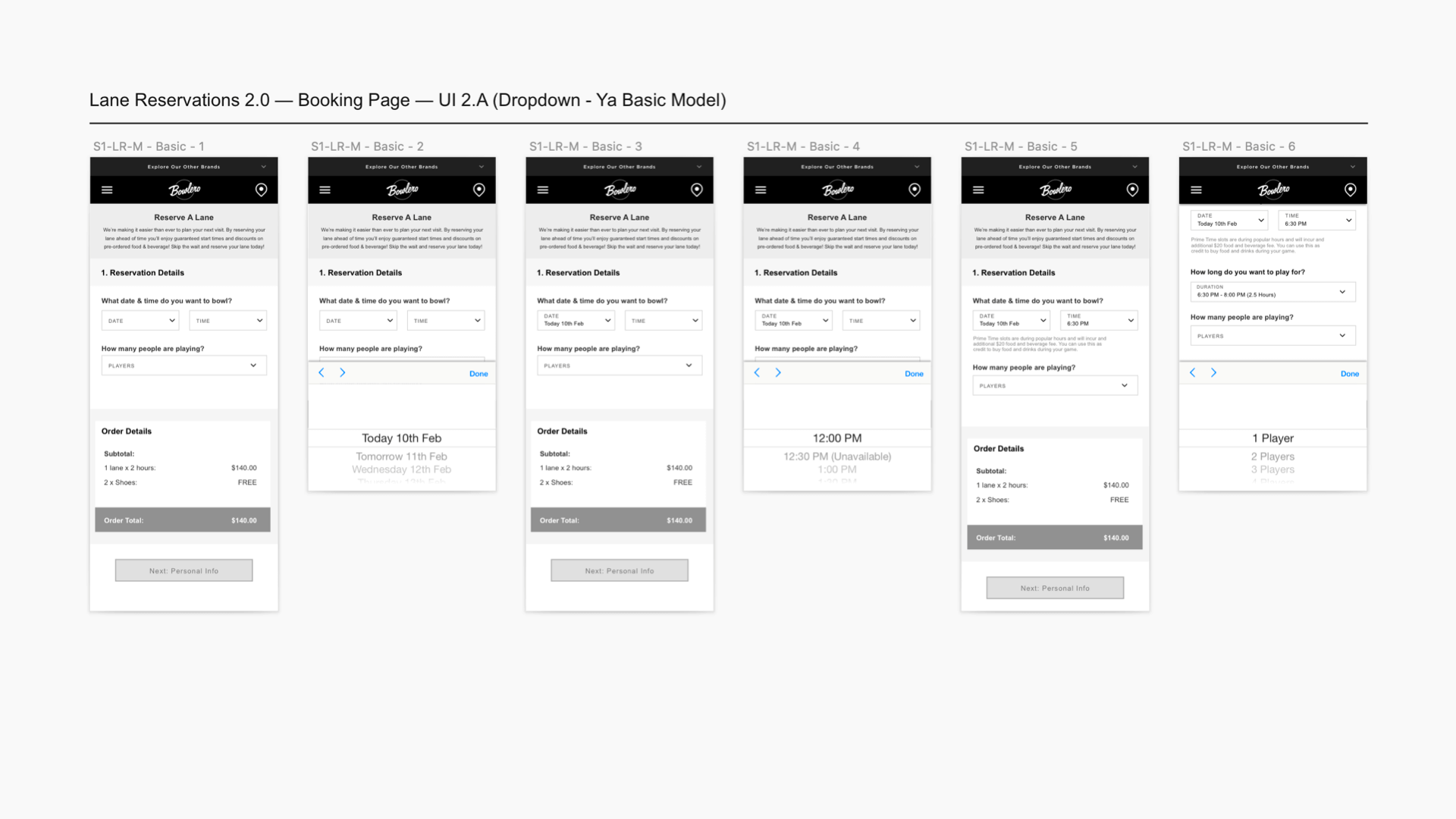
Simple dropdown-based wireframes.
Prototyping & User Testing
Prototypes were built in Principle with interactive functionality mimicking real mobile experiences. Testing took place at the Times Square Bowlero location, with dozens of customers completing booking tasks while their interactions were recorded and timed.
Results showed a strong preference for the dynamic prototype. Users appreciated the availability visualization and quickly grasped the swiping carousel interaction — even those unfamiliar with the pattern. The dropdown approach was described as 'clunky and slow to go back and forth between options.' Task completion was significantly faster on the dynamic version.
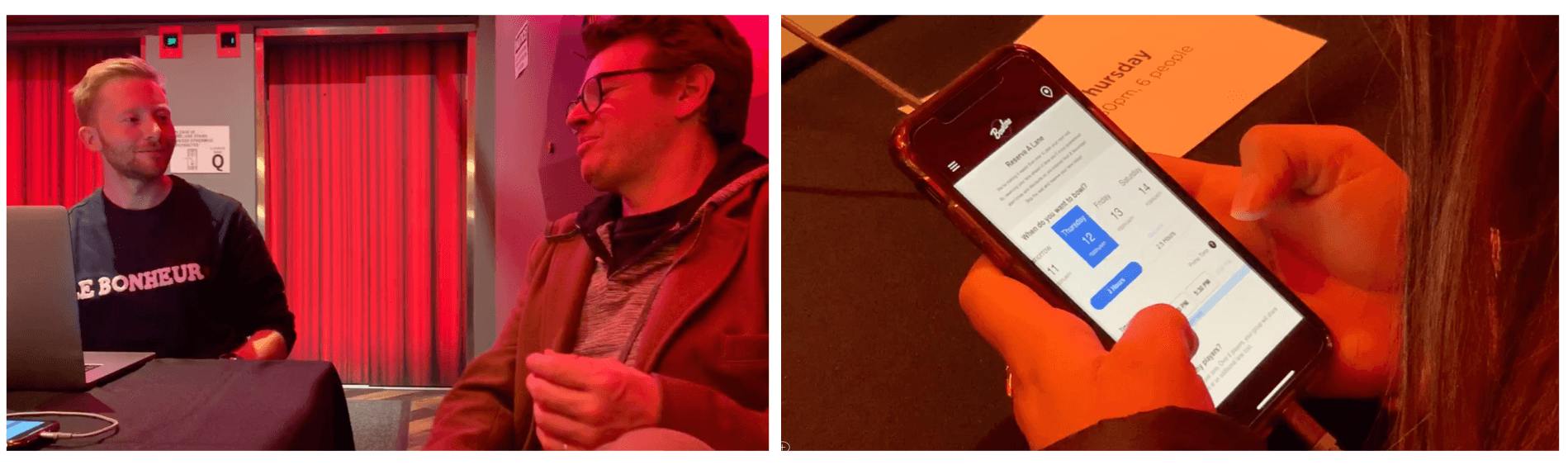
User testing at the Times Square Bowlero location.
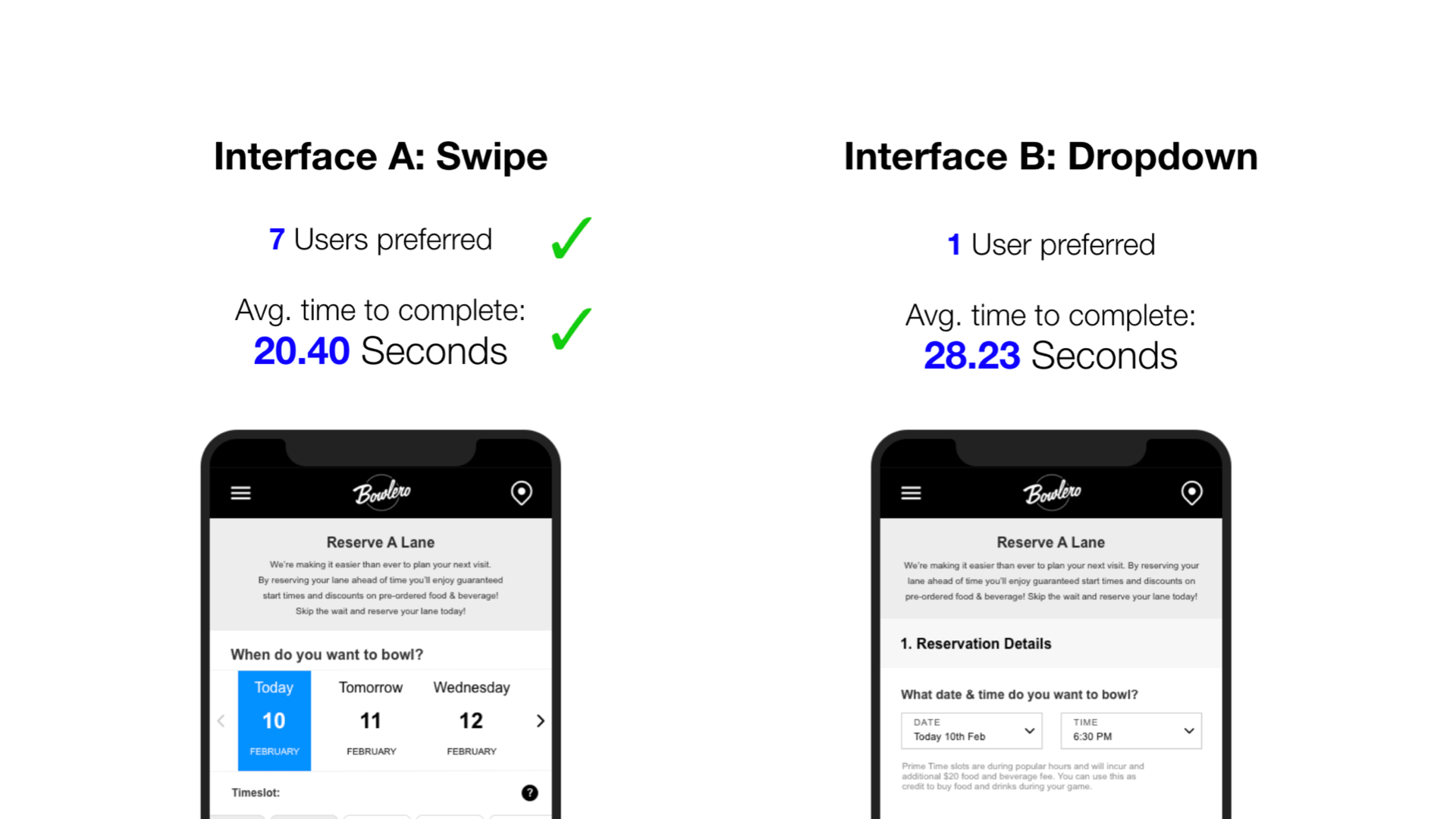
Side-by-side comparison of the two prototype approaches.
Desktop & Visual Design
Following a mobile-first methodology, desktop variations were developed after mobile designs were aligned. UI elements translated cleanly to larger screens. The visual designer then applied Bowlero's brand to the wireframes, with the UX team providing feedback throughout before handoff to development.
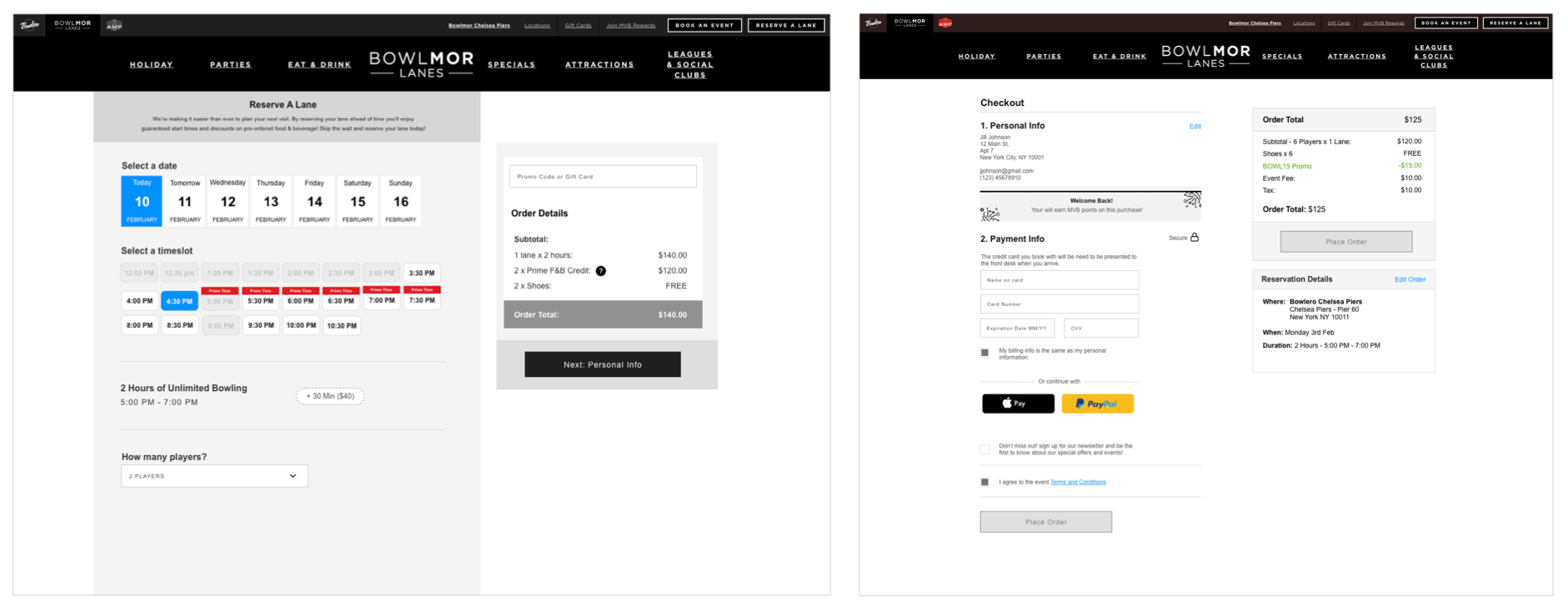
Desktop wireframes.
Mobile and desktop layouts side by side.
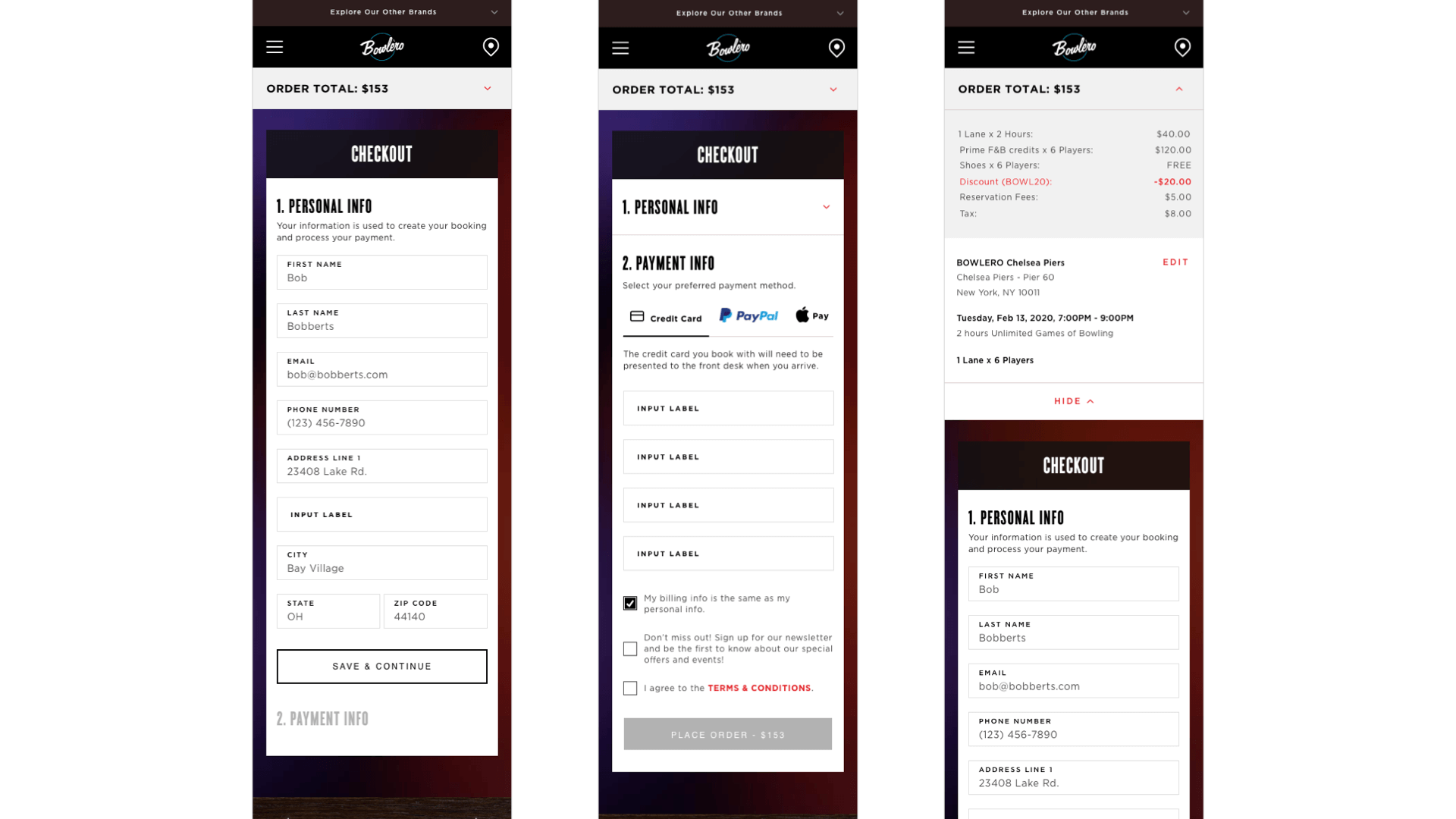
Final mobile visual design.
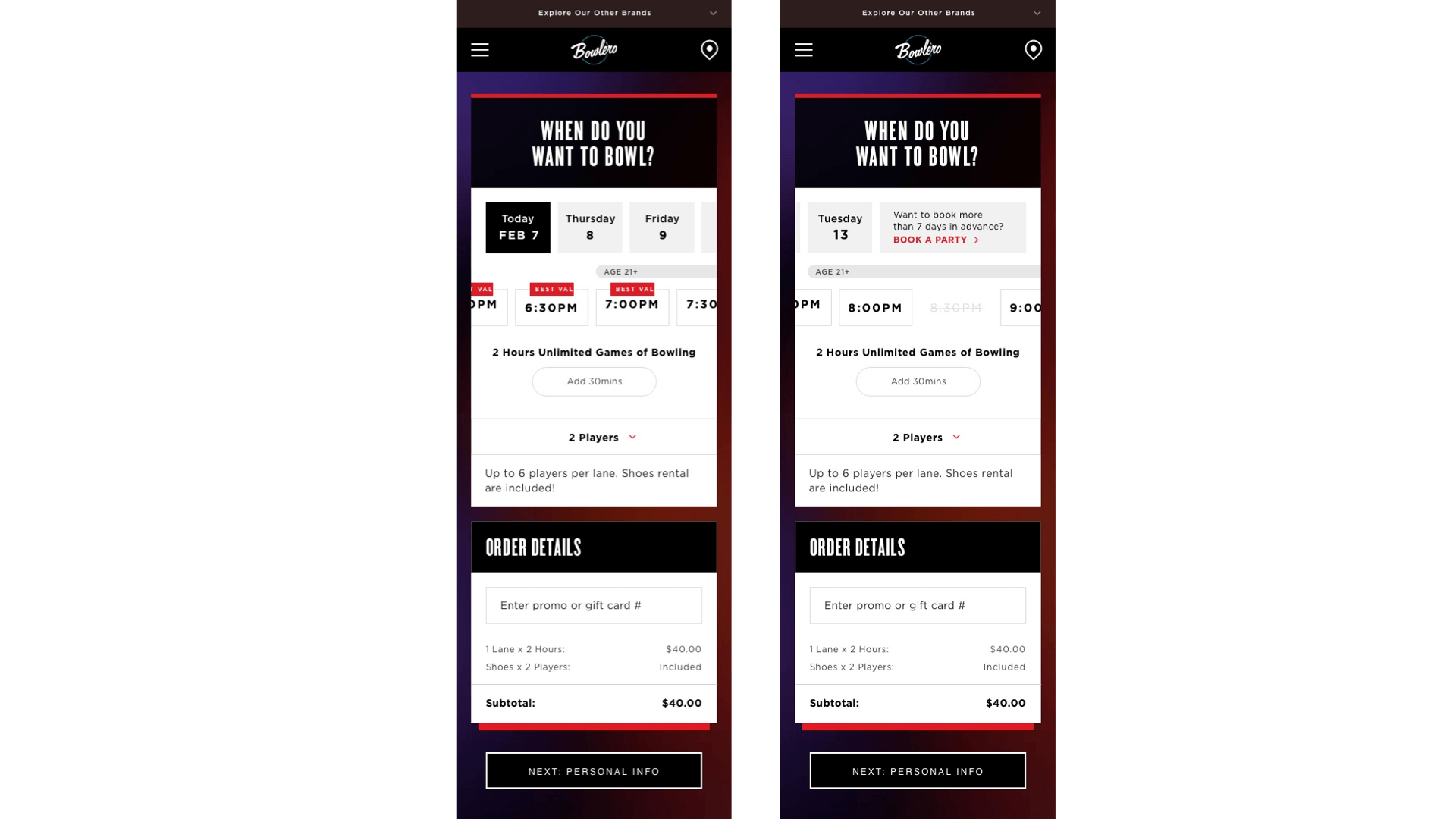
Mobile visual design — booking confirmation.
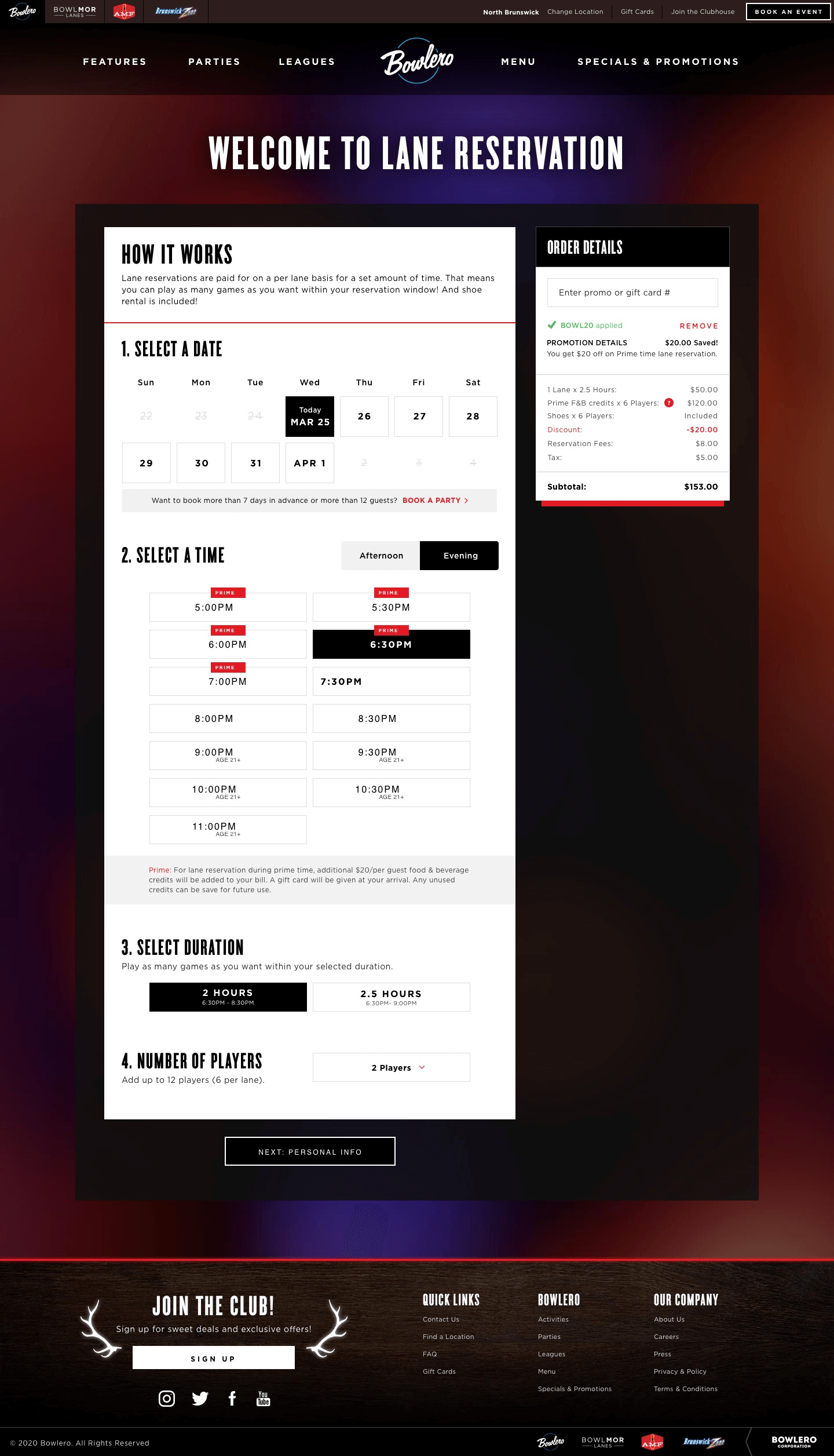
Final desktop visual design.
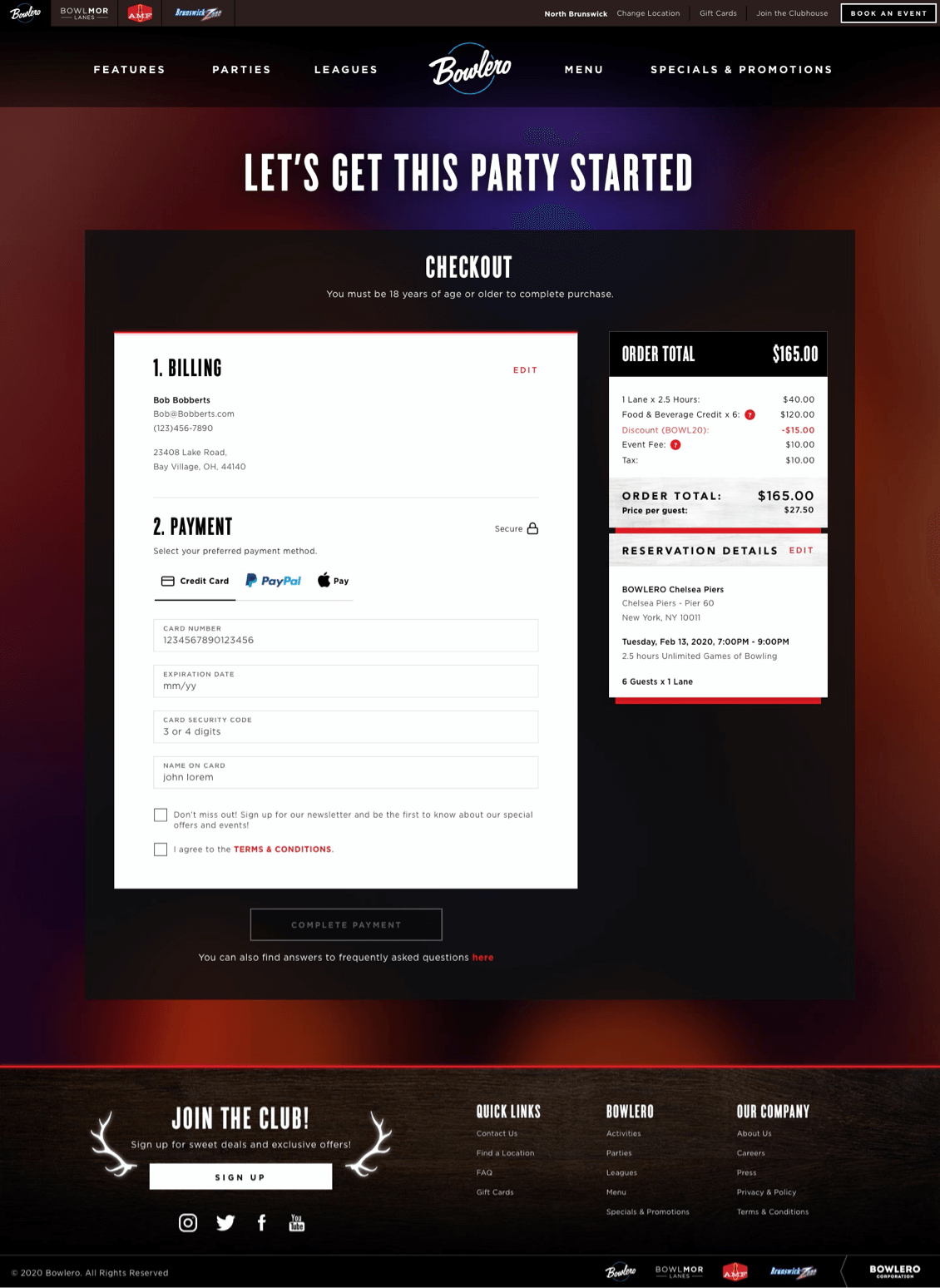
Desktop visual design — booking flow.
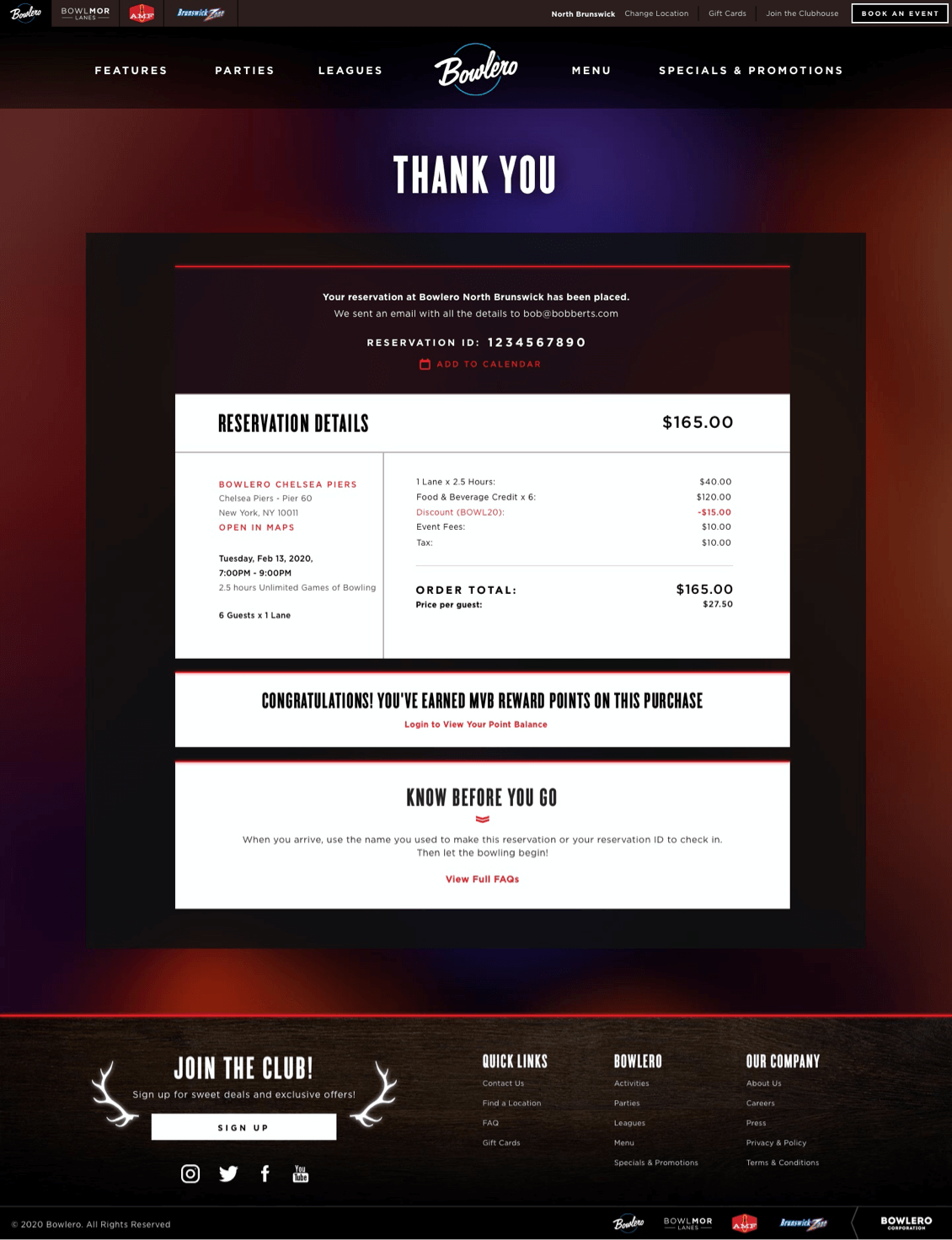
Desktop visual design — confirmation state.